
Chrome Extension
There are two ways to update the product to the latest version.Reinstall the Extension
- Uninstall the current extension from your browser.
- Go to the Chrome Web Store to install the latest version of the extension.
- After installation, you may need to reconfigure the settings and reactivate your license.
Manually Update the Extension
1
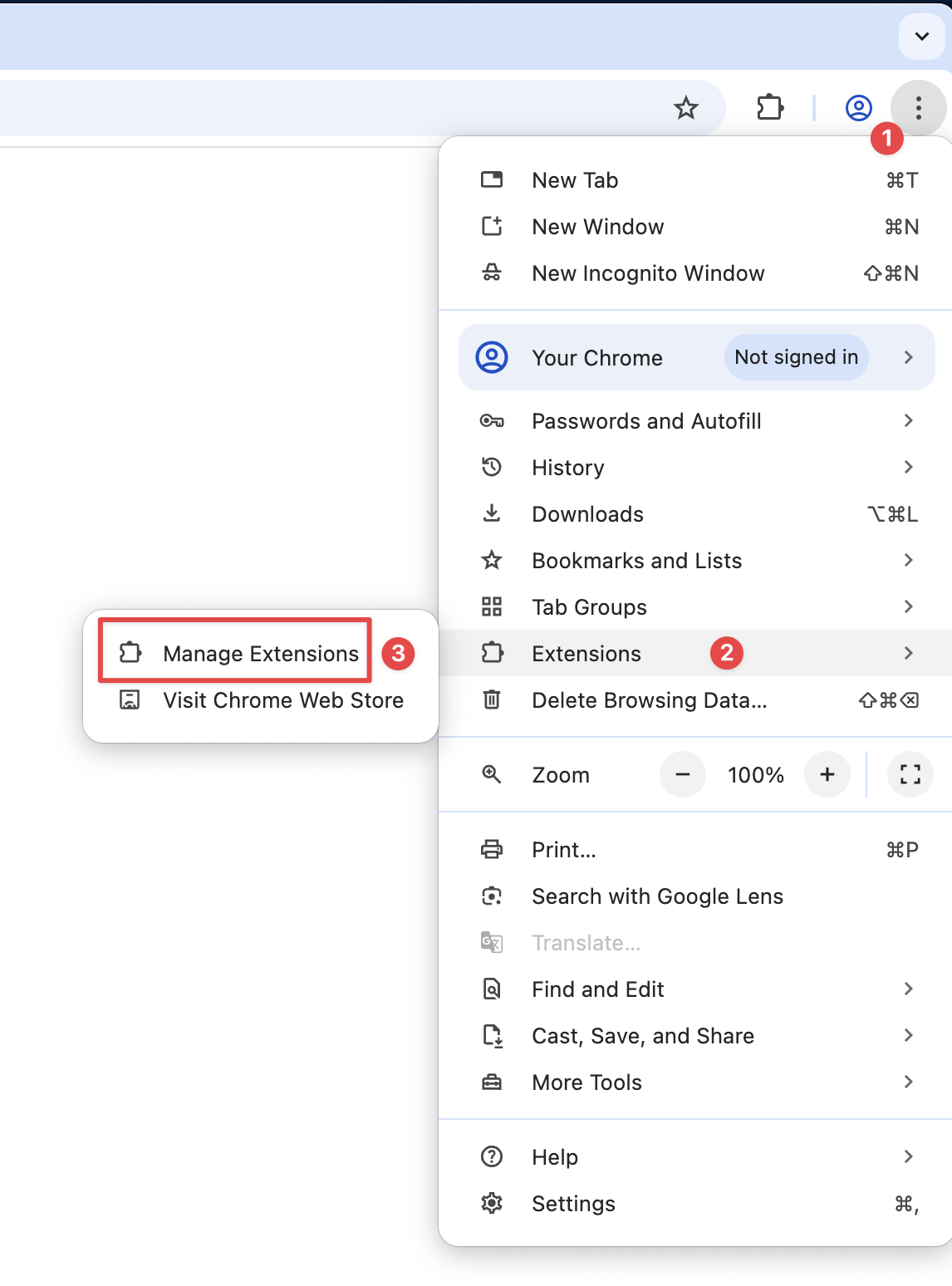
Open Chrome Extensions Page
2
Enable Developer Mode
Enable the developer mode by clicking the toggle button at the top right
corner.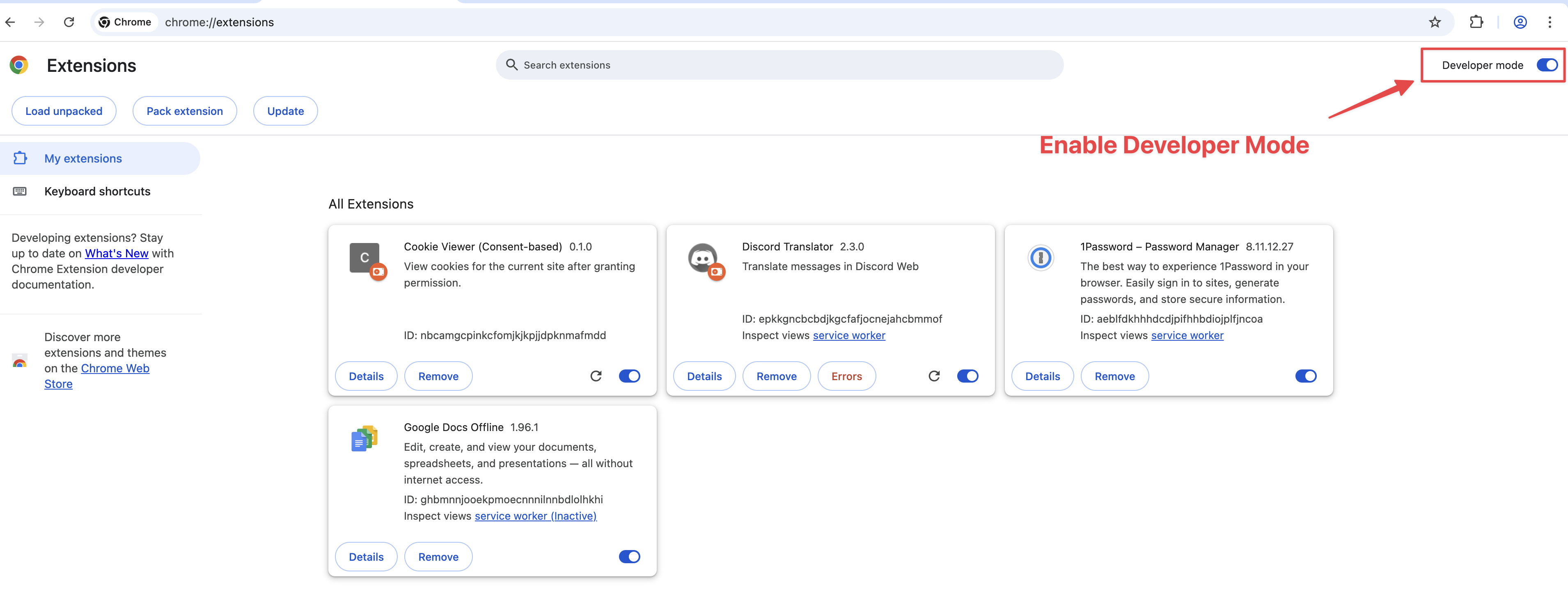
3
Click Update Button
Click the “Update” button to update all extensions to the latest version.
4
Check the Version
After updating, you can check the version of the extension to ensure it has
been updated to the latest version.How to Check the Product Version?
5
Disable Developer Mode
You can disable the developer mode by clicking the toggle button again.