
How to Activate Premium Features
1
Open the Extension Options Page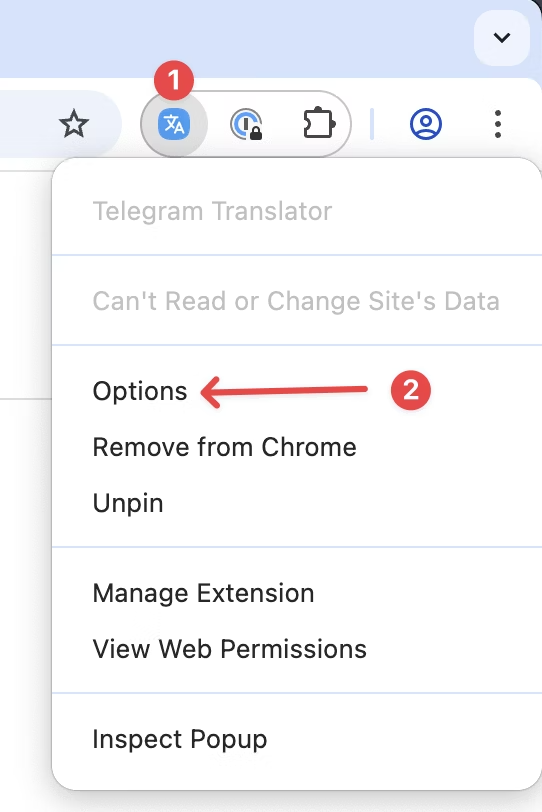
2
Select the License Tab and Activate Your License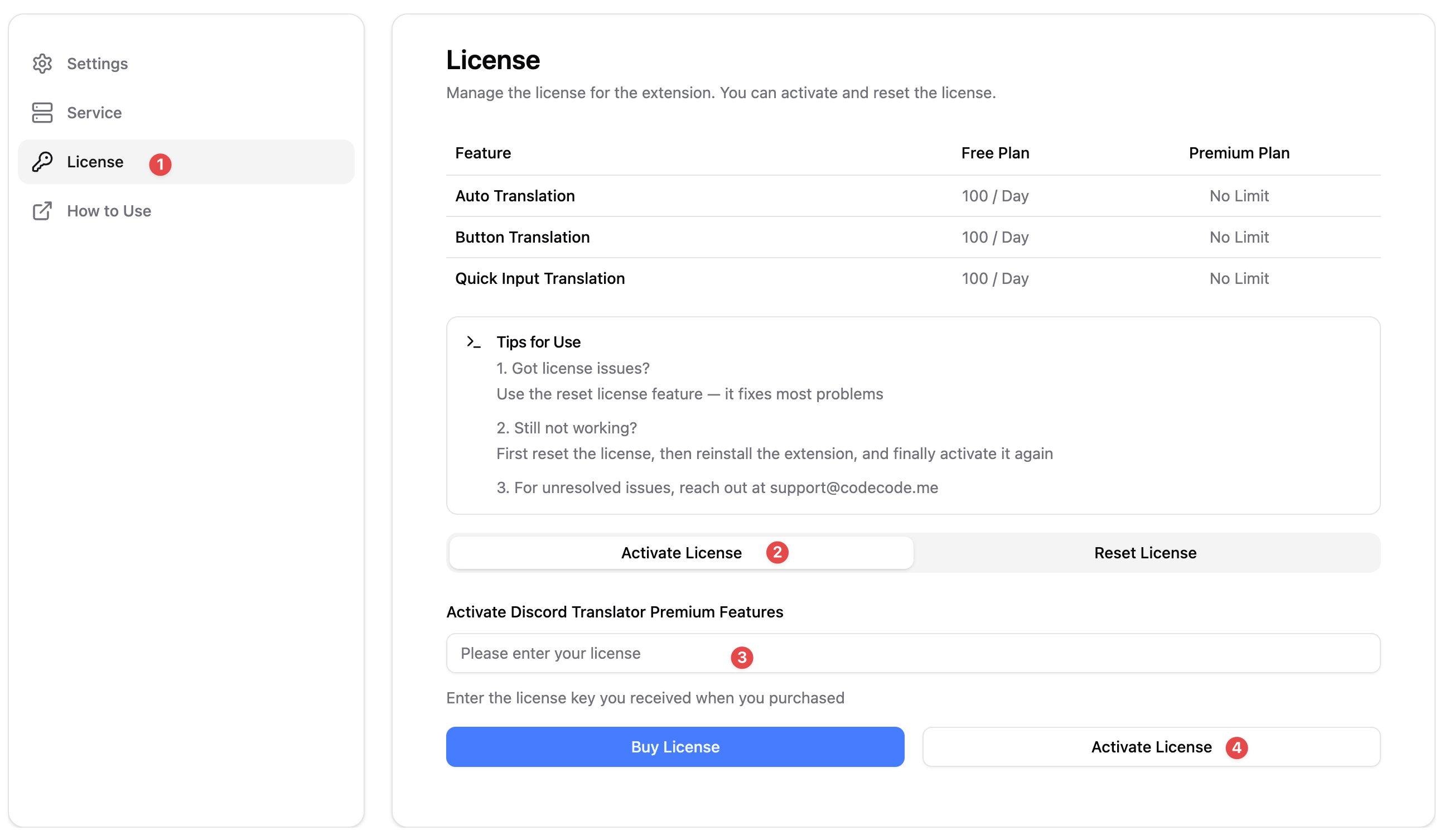
3
Refresh the Web Page
- After activating your license, refresh the web page for the changes to take effect.
- If it still doesn’t work, try reopening Chrome.
If your license still doesn’t activate after several attempts, please contact
our support team at support@codecode.me for assistance.
How to Reset Your License
1
Open the Extension Options Page
2
Select the License Tab and Reset Your License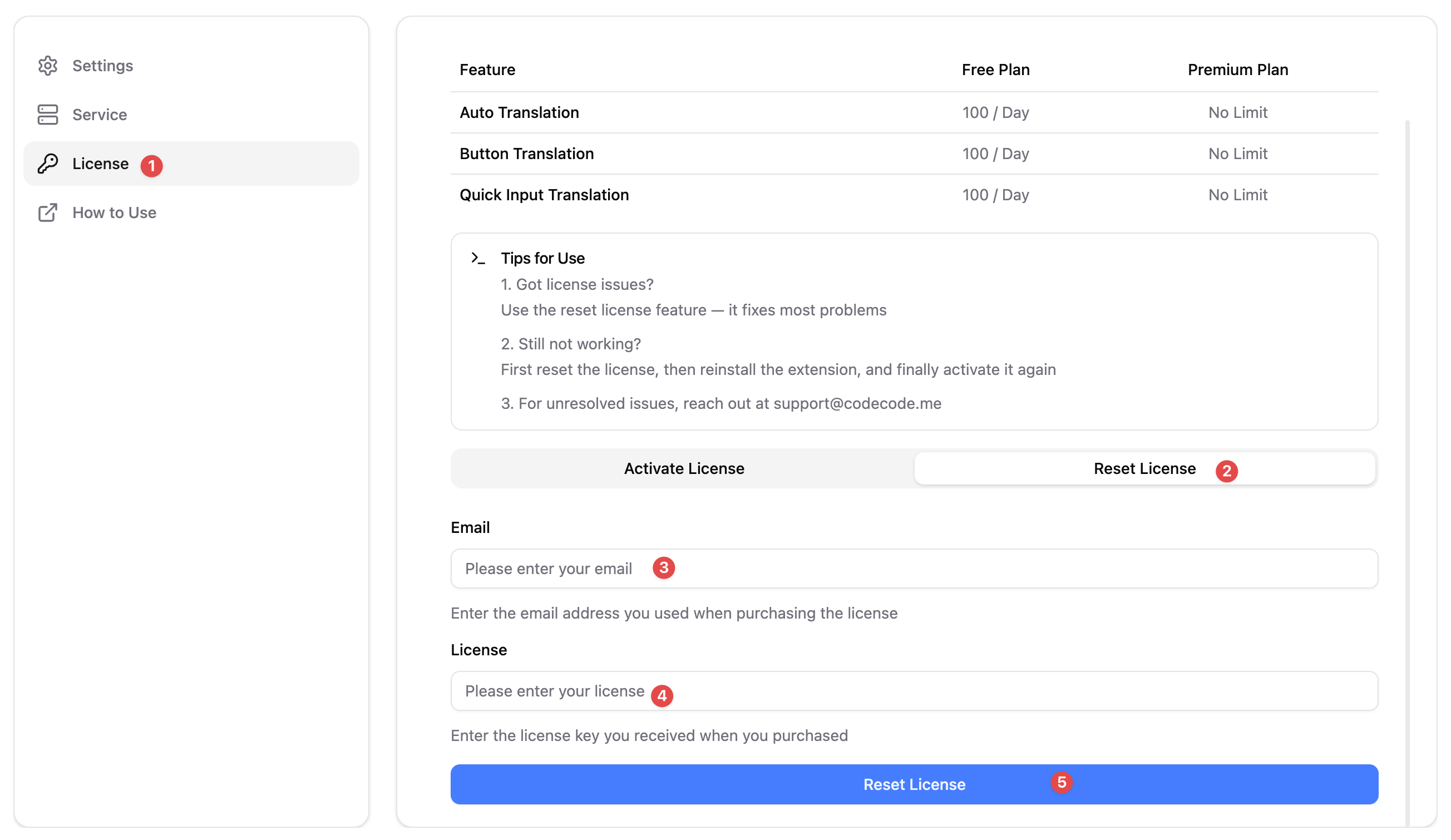
If you experience issues resetting your license, please reach out to
support@codecode.me with your license details for further help.