> ## Documentation Index
> Fetch the complete documentation index at: https://doc.codecode.me/llms.txt
> Use this file to discover all available pages before exploring further.

# How To Activate Premium Features

> You can activate the premium features for the extension.

## Chrome Extension Premium Features Activation
<Steps>
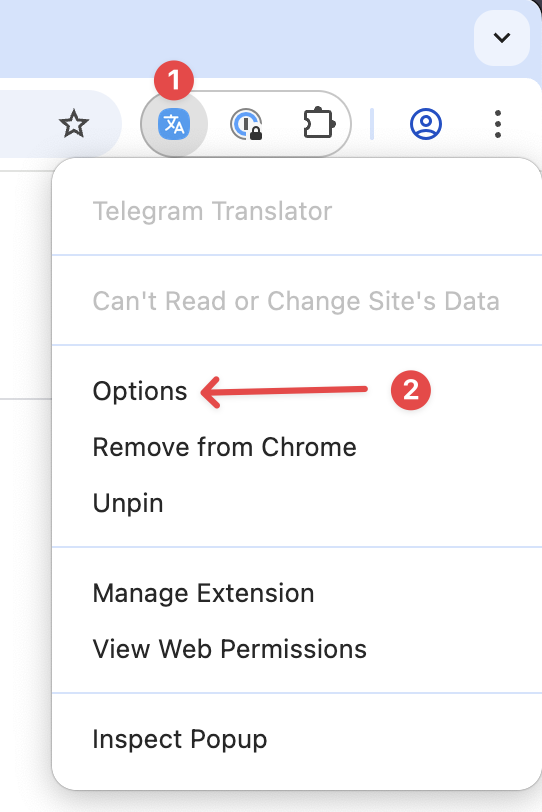
  <Step title="Open Extension Options">
    <img src="https://mintcdn.com/codecodeme-68fc018e/DhAeXmEkPOdSRoVD/assets/dt/images/2.png?fit=max&auto=format&n=DhAeXmEkPOdSRoVD&q=85&s=3579293d43be28ec8ae3d8ec35e7f4a5" width="50%" data-path="assets/dt/images/2.png" />
  </Step>

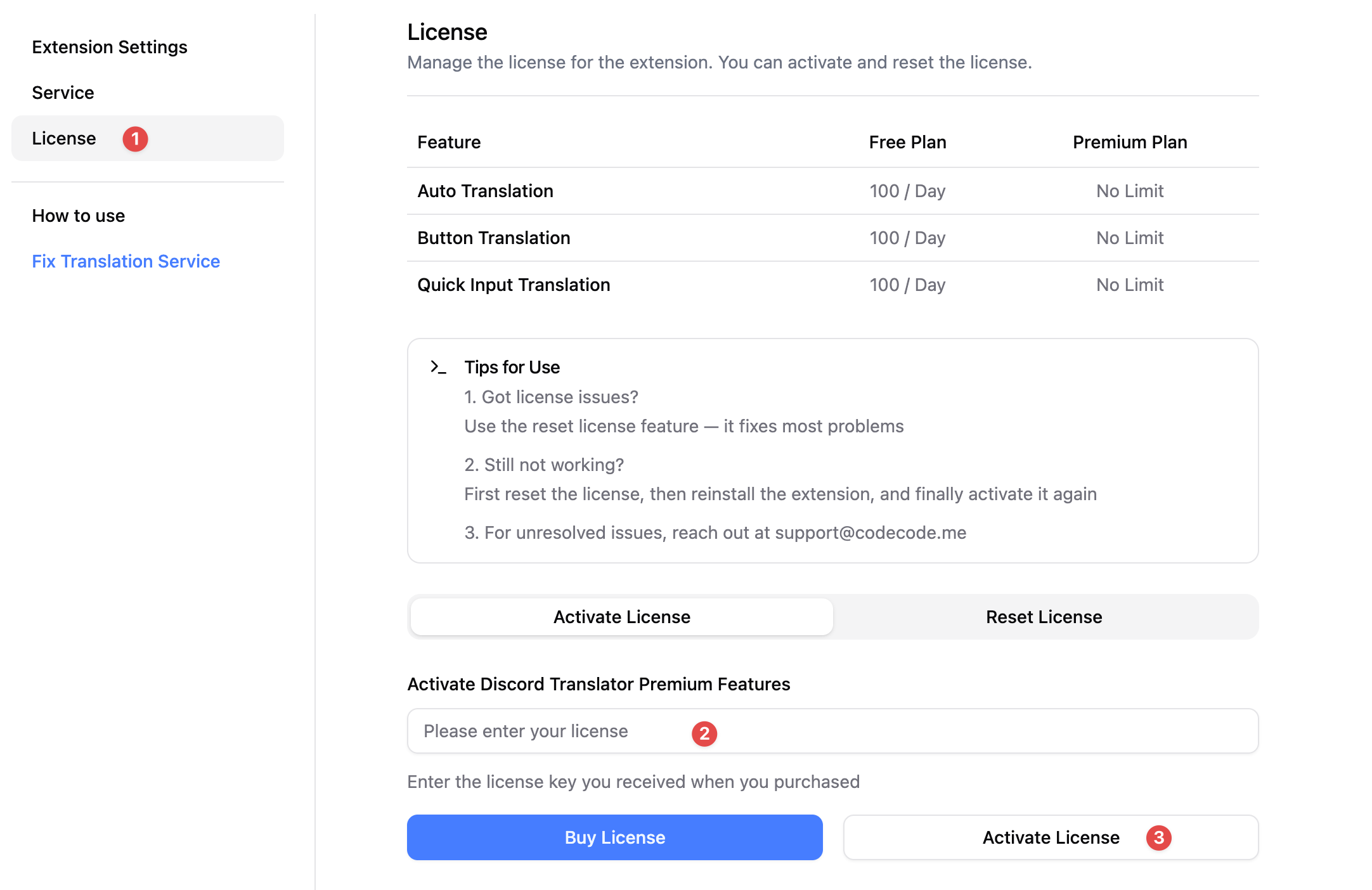
  <Step title="Select License Tab and Activate License">
    <img src="https://mintcdn.com/codecodeme-68fc018e/DhAeXmEkPOdSRoVD/assets/dt/images/3.png?fit=max&auto=format&n=DhAeXmEkPOdSRoVD&q=85&s=957019349829c31d7a76097b414b3bb7" width="80%" data-path="assets/dt/images/3.png" />
  </Step>

  <Step title="Refresh Webpage">
    1. After activating the license, you need to refresh the web page for the
       changes to take effect.

    2. if not working, you can try reopen chrome.
  </Step>
</Steps>

## macOS App Premium Features Activation
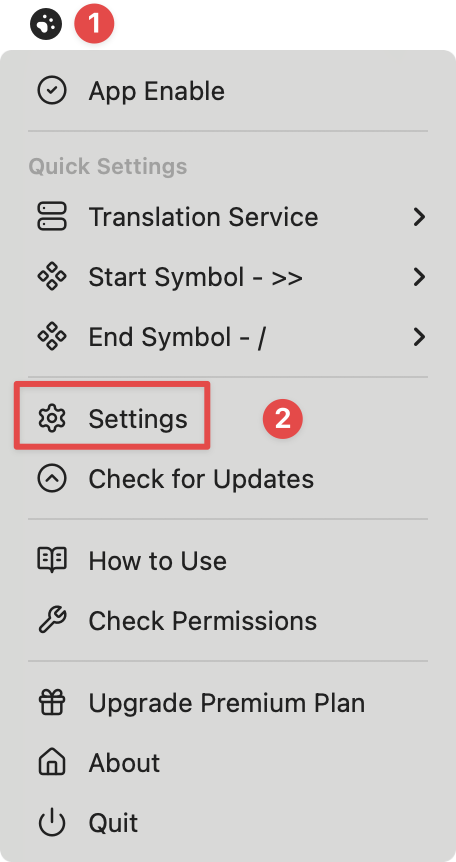
<Steps>
  <Step title="Click the App Icon in the Menu Bar and open Settings">
    <img src="https://mintcdn.com/codecodeme-68fc018e/DhAeXmEkPOdSRoVD/assets/qit/1.png?fit=max&auto=format&n=DhAeXmEkPOdSRoVD&q=85&s=99c56f320df8a06bc87cad9c788d832b" width="50%" data-path="assets/qit/1.png" />
  </Step>

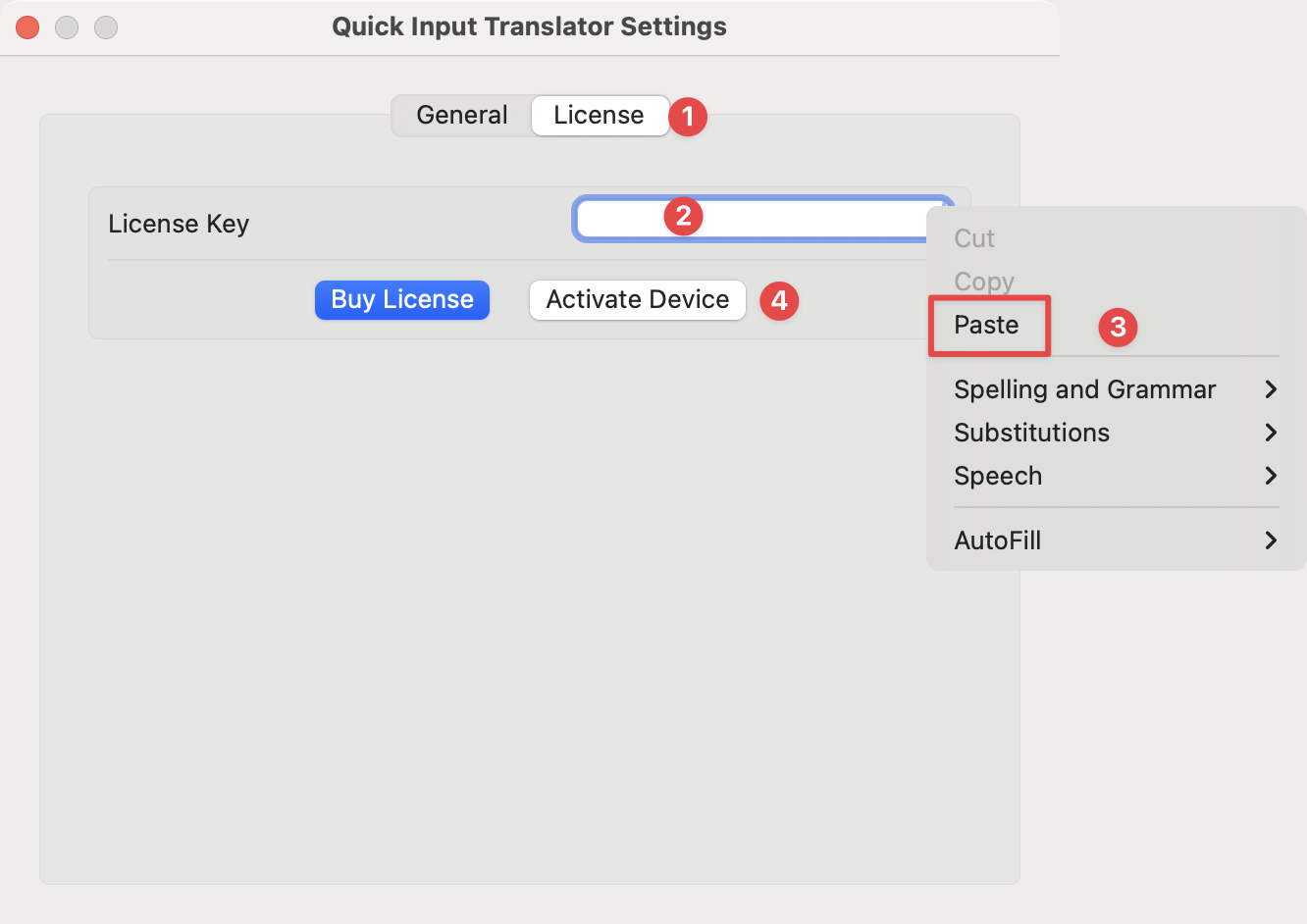
  <Step title="Click the License Tab and Activate License">
    <img src="https://mintcdn.com/codecodeme-68fc018e/DhAeXmEkPOdSRoVD/assets/qit/2.png?fit=max&auto=format&n=DhAeXmEkPOdSRoVD&q=85&s=fc51912189524eb1b71becd39d180bd7" width="50%" data-path="assets/qit/2.png" />
  </Step>

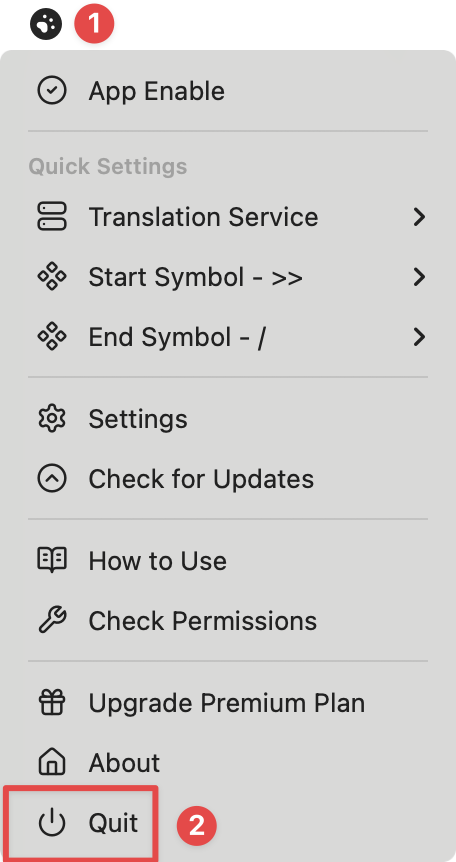
  <Step title="Optionally, Restart the App">
    <img src="https://mintcdn.com/codecodeme-68fc018e/DhAeXmEkPOdSRoVD/assets/qit/3.png?fit=max&auto=format&n=DhAeXmEkPOdSRoVD&q=85&s=6d09cdd6ae5413f3661e9222e5c10d75" width="50%" data-path="assets/qit/3.png" />
  </Step>
</Steps>